
VLANs Explained: How One Switch Becomes Many Networks

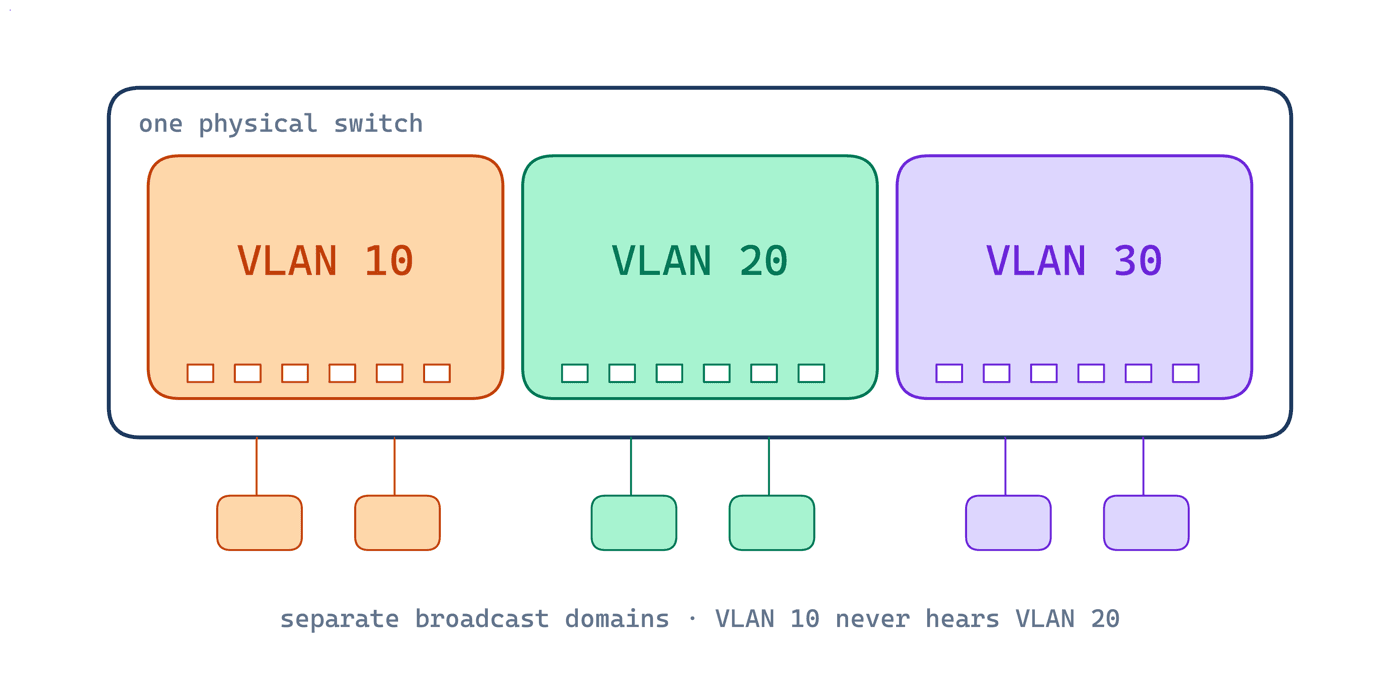
A VLAN is the first concept in the CCNA where the network stops being something you can see. The cables, the switch, the blinking ports, none of them change. But configure three VLANs and that one switch quietly becomes three networks that cannot talk to each other at all. Understanding how that works, and how trunks carry those separate networks over a single cable, is worth more exam points than almost any other switching topic, and it's the foundation of every real enterprise network you'll ever touch.
This guide explains what VLANs actually do, the difference between access and trunk ports, how 802.1Q tagging works on the wire, and the exam traps Cisco loves to set.
Why Networks Get Segmented
Switches flood broadcasts, ARP requests, DHCP discovers, out of every port. On a small network that's fine. Put 300 devices on one flat network and every machine processes every broadcast from every other machine: performance degrades, troubleshooting becomes archaeology, and a guest laptop sits on the same network as the finance server.
The classic fix was separate switches for separate departments. That works, but it wastes hardware and locks your network design to your floor plan. VLANs solve the same problem in software.
What a VLAN Actually Does
A VLAN (Virtual Local Area Network) carves one physical switch into multiple logical switches. Each VLAN is its own broadcast domain: a broadcast sent in VLAN 10 reaches only VLAN 10 ports, as if the other VLANs were on different hardware entirely.
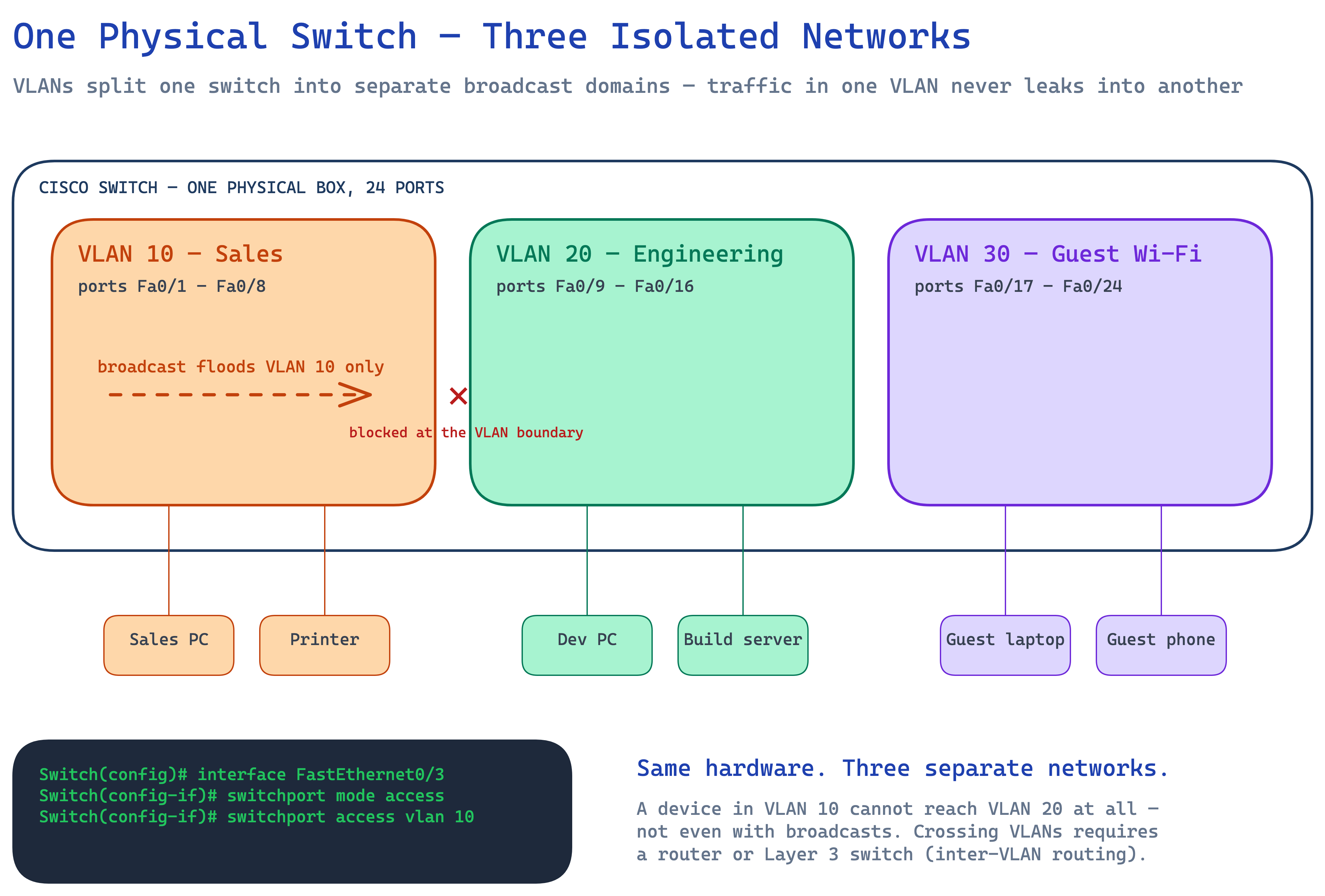
Three things in that diagram matter for the exam:
- Membership is per port. You assign each switch port to a VLAN; whatever plugs into the port joins that VLAN. The device itself needs no configuration and has no idea VLANs exist.
- Isolation is total at Layer 2. A Sales PC cannot reach an Engineering PC, not even with a broadcast. To cross VLANs, traffic must be routed (a router or a Layer 3 switch doing inter-VLAN routing).
- One subnet per VLAN. In practice every VLAN gets its own IP subnet, VLAN 10 might be 192.168.10.0/24, VLAN 20 is 192.168.20.0/24. The VLAN is the Layer 2 boundary; the subnet is its Layer 3 twin.
Access Ports vs Trunk Ports
Every switch port operates in one of two modes, and keeping them straight is half the battle:
| Access port | Trunk port | |
|---|---|---|
| Carries | One VLAN | Many VLANs |
| Connects to | PCs, printers, phones, servers | Other switches, routers, hypervisors |
| Frames on the wire | Untagged (normal Ethernet) | Tagged with 802.1Q |
| Typical config | switchport access vlan 10 | switchport trunk allowed vlan 10,20 |
An access port belongs to exactly one VLAN and sends the device plain, untagged Ethernet. A trunk port is the inter-switch highway: it carries frames for all allowed VLANs over a single link.
How 802.1Q Tagging Works
Here's the question trunking has to answer: if frames from VLAN 10 and VLAN 20 share the same cable, how does the receiving switch know which frame belongs to which VLAN?
The answer is the IEEE 802.1Q tag, 4 bytes inserted into the Ethernet header that carry the VLAN ID (and a priority field used for QoS).
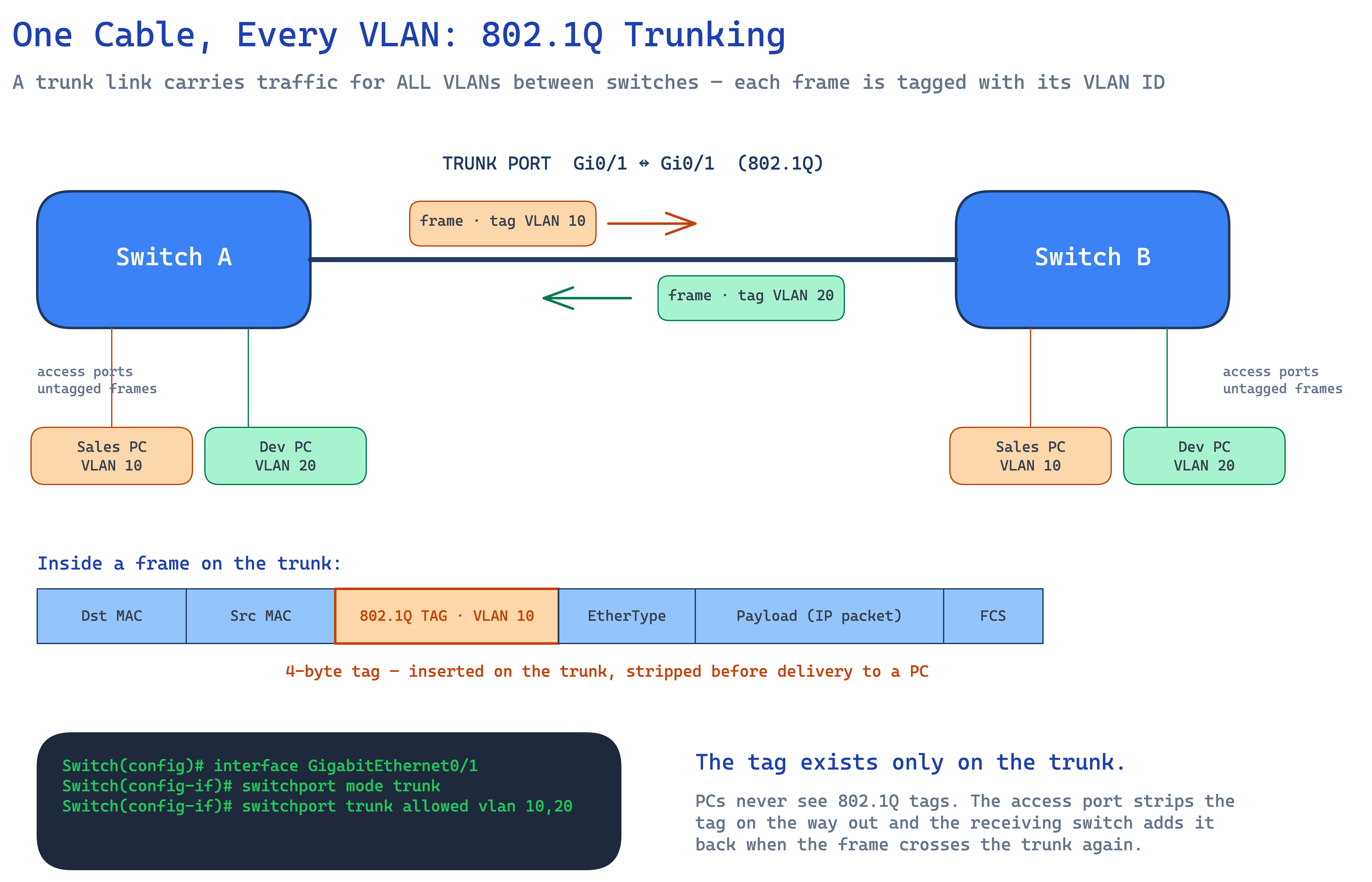
Follow one frame across the diagram: a Sales PC sends a normal untagged frame into its access port on Switch A. Switch A knows that port belongs to VLAN 10, so when the frame leaves on the trunk it inserts the 802.1Q tag with VLAN ID 10. Switch B reads the tag, knows the frame belongs to VLAN 10, strips the tag, and delivers a plain Ethernet frame out of the matching access port. The PCs at both ends never see a tag in their lives.
One exception you must know: the native VLAN. Frames belonging to the trunk's native VLAN (VLAN 1 by default) cross the trunk *untagged*. If the native VLAN doesn't match on both ends of a trunk, traffic silently leaks between VLANs, which is why both the exam and security best practice say to set the native VLAN to an unused ID on both sides.
Crossing VLANs: A Preview of Inter-VLAN Routing
VLANs separate; they never connect. When the Sales PC needs to reach a server in VLAN 20, the frame must go to a Layer 3 device, a router-on-a-stick using subinterfaces, or far more commonly today, a Layer 3 switch with an SVI (switched virtual interface) per VLAN. That's its own CCNA topic, but the rule to internalize now: same VLAN, switched; different VLAN, routed. No exceptions.
The CCNA Exam Traps
These are the details that separate a pass from a near-miss:
- VLAN 1 is everywhere by default. Every port starts in VLAN 1, and control traffic (CDP, VTP, STP) uses it. Best practice, and the exam answer, is to keep user traffic out of VLAN 1.
- Native VLAN mismatch. Watch for
%CDP-4-NATIVE_VLAN_MISMATCHin show-command screenshots, it means the two ends of a trunk disagree, and untagged traffic is crossing VLANs. - The allowed list prunes silently. If
switchport trunk allowed vlan 10is configured and you later add VLAN 20, VLAN 20's traffic dies at that trunk until you runswitchport trunk allowed vlan add 20. Forgetting the keywordadd*replaces* the whole list, a classic lab mistake. - DTP can negotiate trunks you didn't ask for. Dynamic Trunking Protocol may auto-form a trunk if both sides are willing. Exam answer and real-world hardening: set ports explicitly with
switchport mode accessorswitchport mode trunkand disable negotiation withswitchport nonegotiate. - `show vlan brief` only shows access ports. Trunks don't appear in the per-VLAN port list, use
show interfaces trunkto verify trunking. Knowing which show command answers which question is free marks.
VLANs and trunking sit inside the Network Access domain, 20% of the CCNA 200-301 exam, and they're lab favourites because Packet Tracer makes them easy to test. If you can configure an access port, a trunk, and explain where the tag appears and disappears, you've banked some of the most reliable points on the exam. For the full topic-by-topic plan, see our CCNA study guide, and to learn this live with an instructor and real lab time, look at the CCNA course.
Frequently Asked Questions
What is a VLAN in simple terms?
A VLAN splits one physical switch into multiple virtual switches. Each VLAN is a separate broadcast domain, devices in VLAN 10 can communicate with each other but cannot reach VLAN 20 at all without a router, even though everything is plugged into the same hardware.
What is the difference between an access port and a trunk port?
An access port belongs to a single VLAN and sends ordinary untagged frames to end devices like PCs and printers. A trunk port connects switches together and carries frames for many VLANs at once, inserting an 802.1Q tag into each frame so the receiving switch knows which VLAN it belongs to.
Can two VLANs talk to each other?
Not at Layer 2, isolation is the whole point. Traffic between VLANs must be routed by a Layer 3 device: a router using subinterfaces (router-on-a-stick) or, more commonly, a Layer 3 switch with an SVI per VLAN.
What is the native VLAN and why does it matter?
The native VLAN is the one VLAN whose frames cross an 802.1Q trunk untagged (VLAN 1 by default). If the two ends of a trunk disagree about the native VLAN, untagged frames silently land in the wrong VLAN, a security and troubleshooting hazard, which is why best practice is to set it to an unused VLAN ID on both ends.


